
Telephony
Go to TelephonyCall from the CRM
In the CRM, every contact and company with a phone number has the Call (Anrufen) button at the top. In the contact table you also find it next to the number once you show the phone column.
- Click Call (Anrufen). XOS opens your computer's phone app (for example FRITZ!App Fon or your phone system's softphone) with the number.
- At the same time, a notes window with a running timer opens at the bottom right. It stays open even when you keep clicking around in the CRM.
- Choose the outcome, for example Reached (Erreicht) or Callback arranged (Rückruf vereinbart), and write your notes.
- Click Save and add to CRM (Speichern und ins CRM). The call is saved as an activity and as a note on the contact.
Log incoming calls
If a phone system with a call log is connected and the phone rings, XOS shows a window at the top with the caller and matching results from the CRM. It appears for the colleague whose extension matches the line that was called, otherwise for everyone. Log (Protokollieren) opens the same notes window, and the call is assigned to the contact found.
The Telephony page shows the complete call log, filterable by Incoming (Eingehend), Outgoing (Ausgehend) and Missed (Verpasst).
Set up your phone system
Calling with notes works without any setup: XOS uses your computer's phone app, with any phone system.
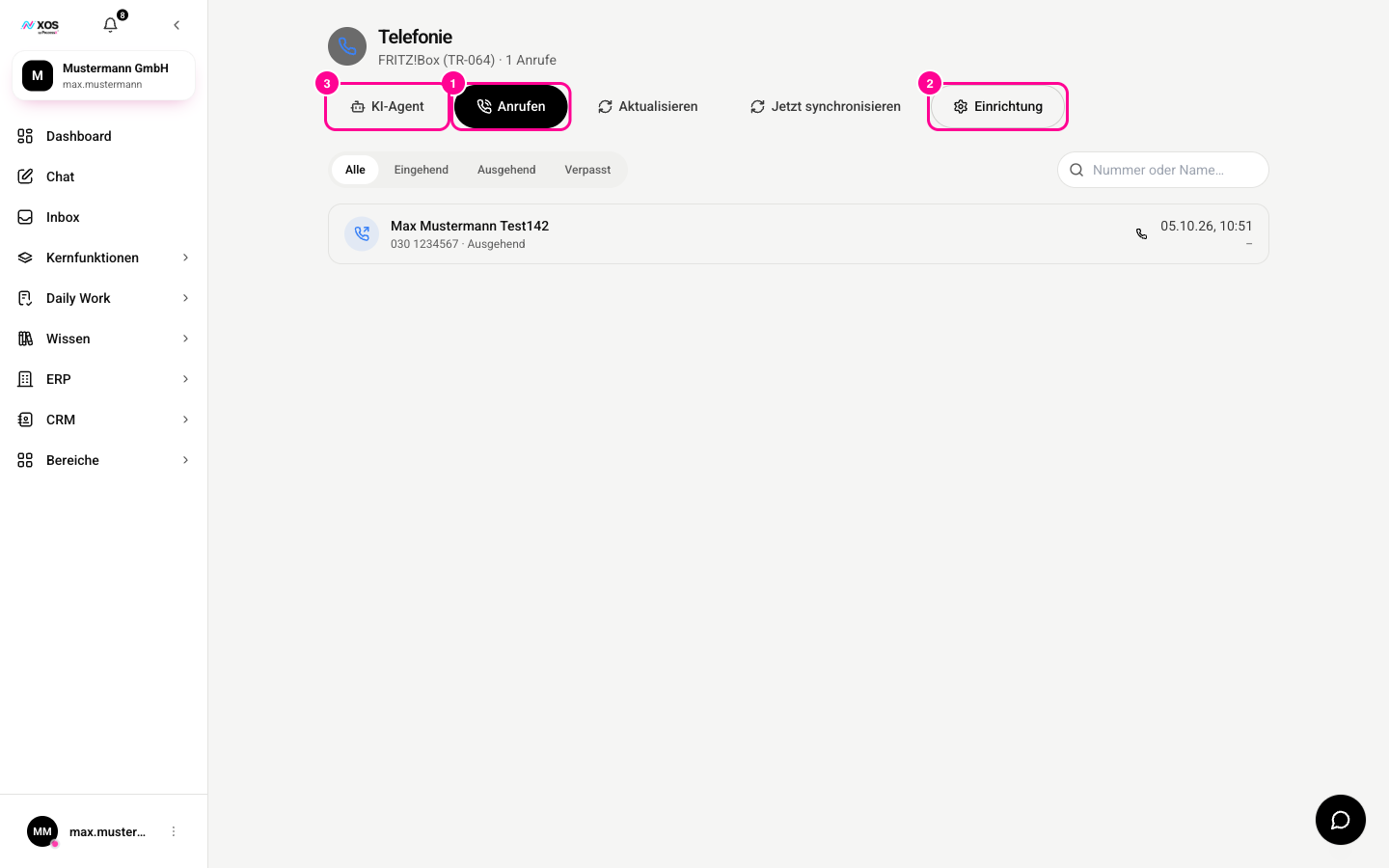
Marker 1 starts a call, marker 2 opens the setup, marker 3 the AI agent. Only admins see the setup and the AI agent.
On the Telephony page, admins choose the provider of their own phone system under Setup (Einrichtung). Each provider shows what else it can do, for example Dial from XOS (Anwahl aus XOS) or Call log (Anrufliste). After entering the credentials, Test connection (Verbindung testen) checks that everything works.
Call colleagues in the browser
Internally, you call colleagues directly in the browser, without a phone system. This works with any provider. If you want to use your phone in the browser, you can optionally add a SIP account under Setup (Einrichtung).
For conferences with several people, there are Meetings.