
Tasks
Go to TasksCreate and find tasks
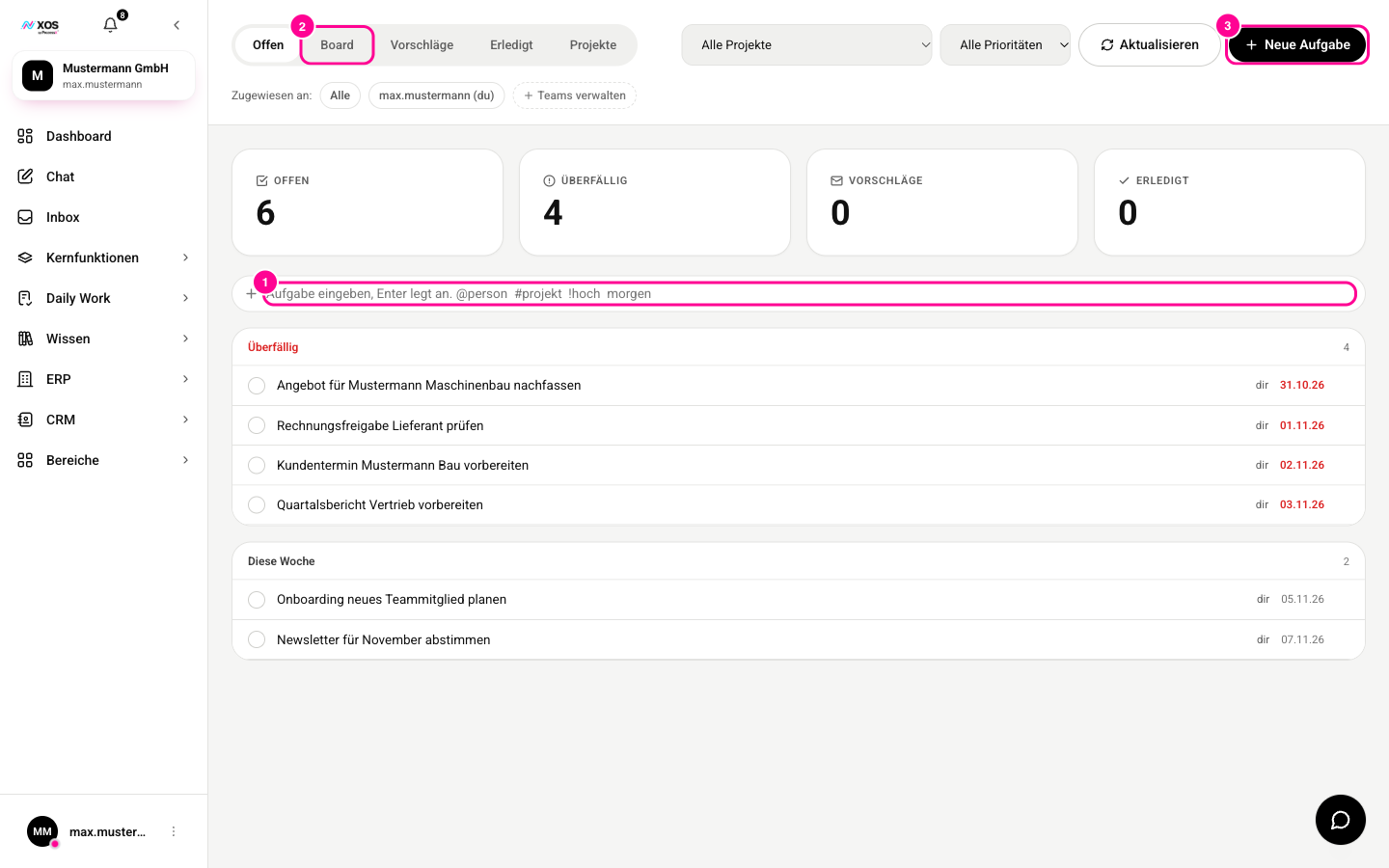
Under Daily Work you find the tasks: your own and the ones shared across the team. The page has five tabs: Open (Offen), Board, Suggestions (Vorschläge), Done (Erledigt) and Projects (Projekte).
- Quick add: Type the title into the input field (marker 1) and press Enter. Shortcuts in the title set more right away:
@personassigns,#projektlinks the task to a project,!hochsets the priority to high,morgen(tomorrow) sets the due date. - Detailed add: Click New task (Neue Aufgabe) (marker 3). You enter a title, description, due date and priority, assign the task to one or more people and choose Public (Öffentlich) or Private (Privat) under visibility. If needed, you add a team.
- Click Board (marker 2) to see the tasks as columns: Open (Offen), In progress (In Arbeit), Review and Done (Erledigt).
Suggestions from emails
The Suggestions (Vorschläge) tab collects tasks that XOS has detected in incoming emails. They are drafts: only when you confirm a suggestion does it land in your list. Otherwise you discard it.
If you turn an email into a task yourself with Turn into task (Als Aufgabe übernehmen), XOS does more than copy the subject line. A language model reads the email and writes a title with a short description that still makes sense two weeks later.
CRM tasks and team workload
If you have booked the CRM, its tasks appear in the same list. You can check them off here and the result flows back to the CRM. You can only edit them in the CRM.
Admins open team management via Manage teams (Teams verwalten), including a workload overview: open, overdue and completed tasks (last 30 days) per person.