
Marketing Hub
The modules in the Marketing Hub
The Marketing Hub is in the sidebar under Areas (Bereiche) and contains three modules plus the AI agent Kira.
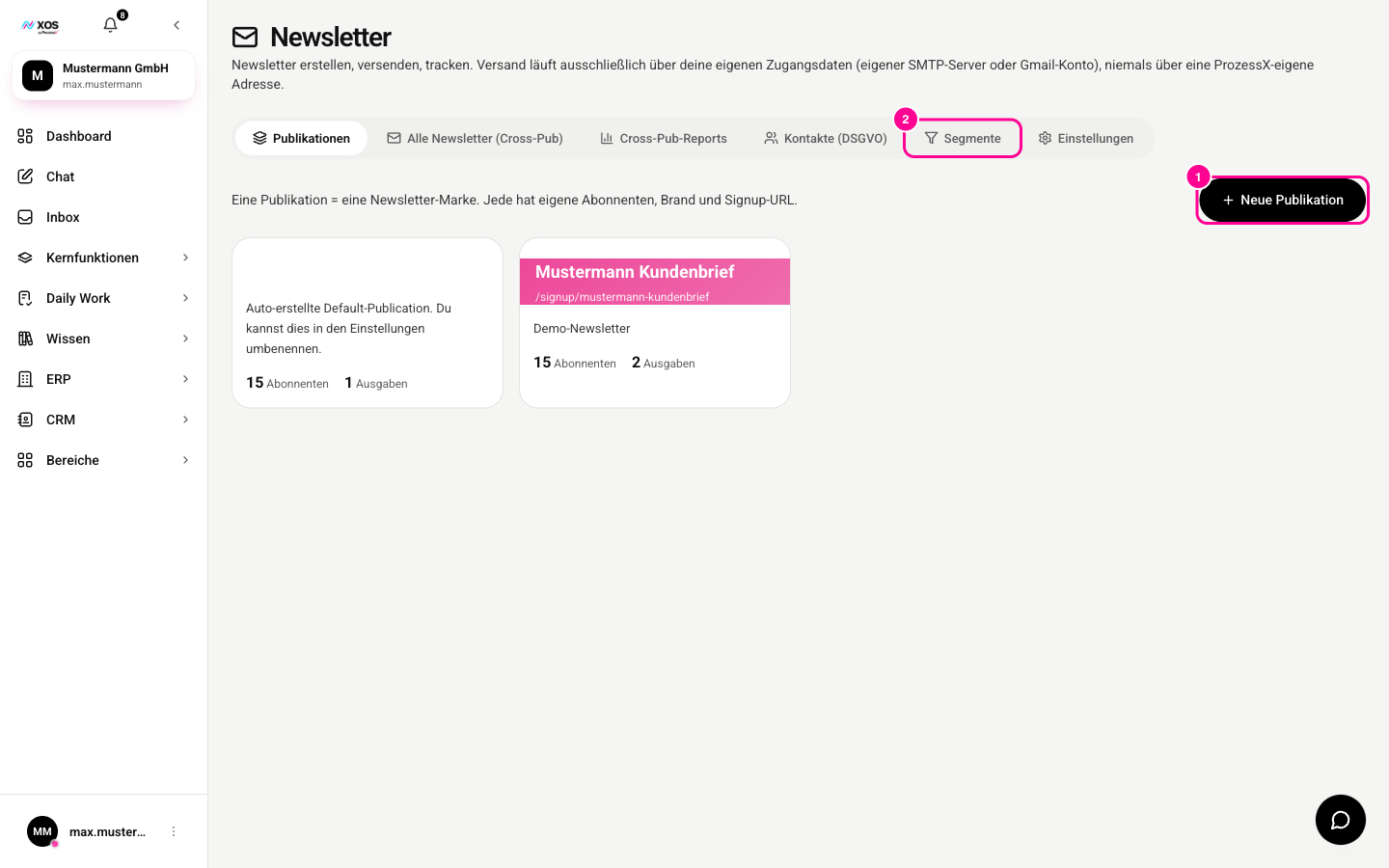
Marker 1 creates a new publication, marker 2 opens the segments.
- Social Media: plan and publish posts for Instagram, Facebook, LinkedIn, X and YouTube. XOS talks to the platforms directly, with no service in between, and checks in advance whether your post meets the rules of each platform. Posts move through the columns Draft, For approval, Scheduled and Published (Entwurf, Zur Freigabe, Geplant, Veröffentlicht). The Campaigns (Kampagnen) tab groups related posts.
- Newsletter: create and send newsletters, manage recipients, analyze opens and clicks. Subscription confirmation and unsubscribing run through their own public links, so recipients never have to log in anywhere for them.
- Analytics: key figures on visitors, conversions, channels and lead sources.
- AI agent Kira: plans multi-step campaigns, creates them in the Social Media module and analyzes their success per channel. Kira does not publish or send anything herself. She is only available in the Marketing Hub and replaces the former Campaign Manager.
How do I read the analytics?
The analytics show reach, engagement, newsletters and new leads on one page.
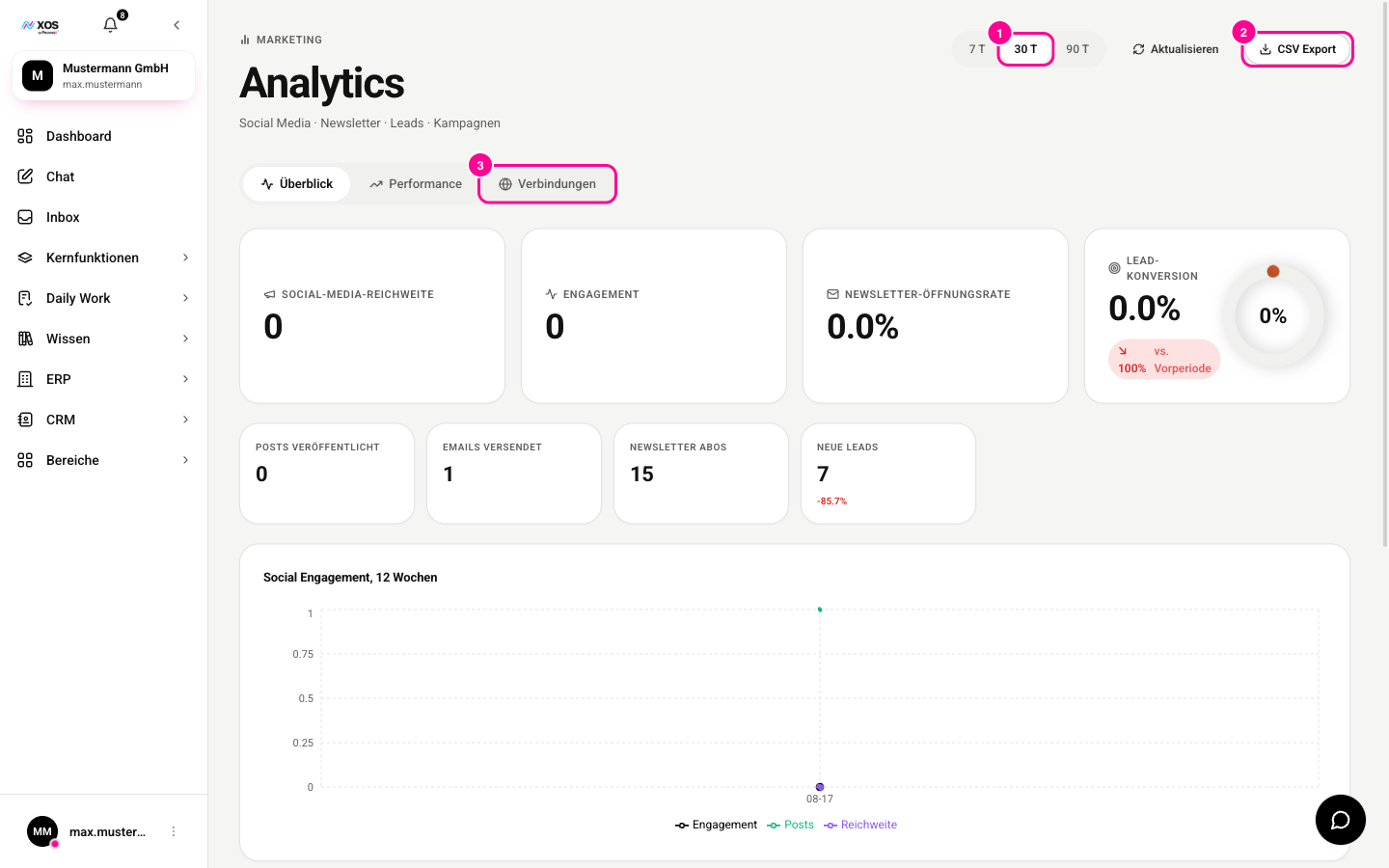
- Choose the period: 7 T, 30 T (marker 1) or 90 T (T stands for days).
- Use CSV export (CSV Export) (marker 2) to download the figures.
- Under Connections (Verbindungen) (marker 3) you connect external analytics such as Google Analytics 4. The figures then come from your real account.