
Workflowsthat run.
Scheduled workflows take over routine work: sorting the inbox, generating reports, reconciling data. At night, without a prompt.
In short: Workflows in XOS start on a schedule, webhook, form or event and complete several steps in sequence, for example turning invoice emails into tasks.
As of November 12, 2026 · ProzessXThis is what it looks like.
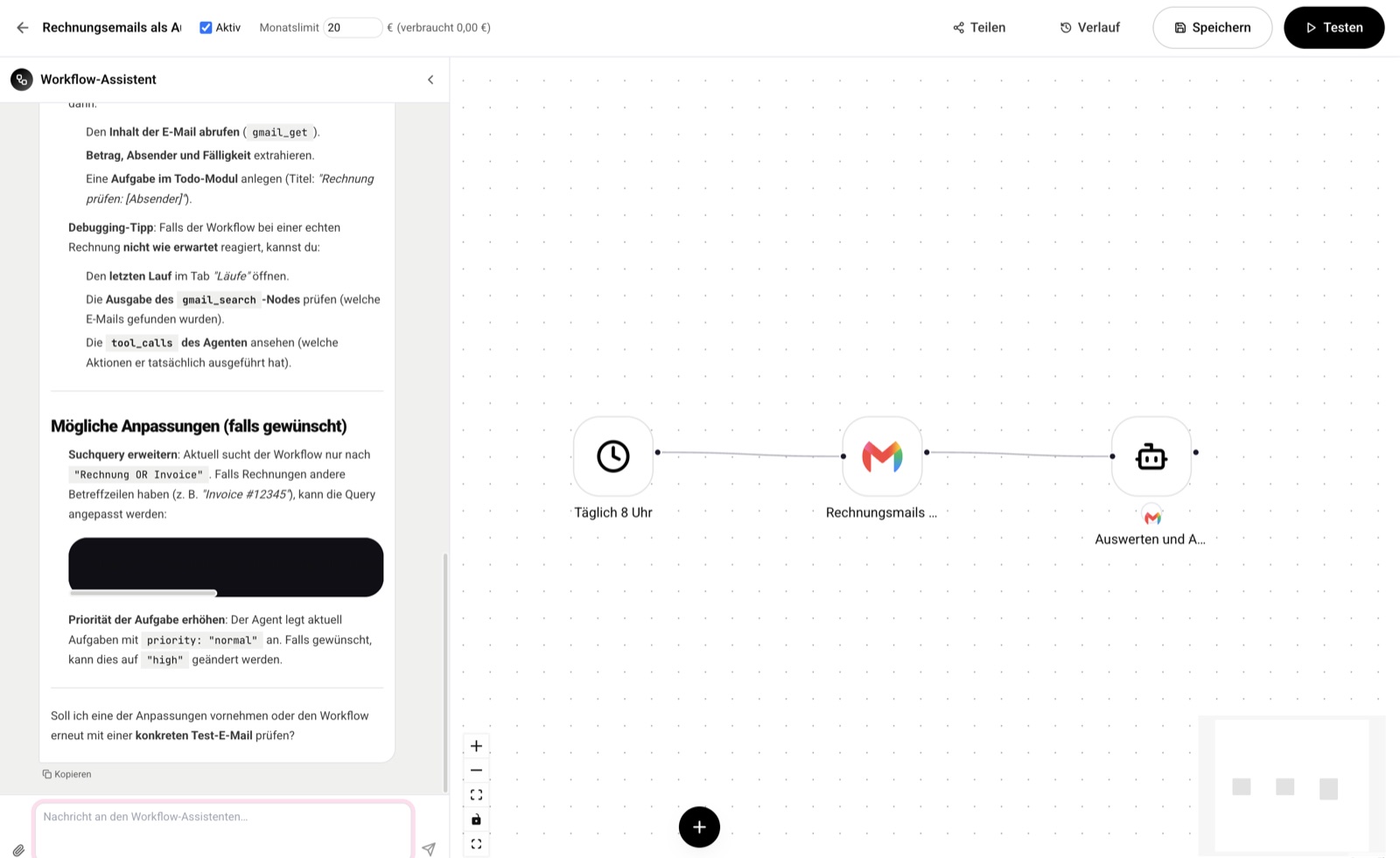
Automations that run on their own.
Scheduled tasks, webhooks or API calls, triggered on a schedule or by an event.
Routine runs without a prompt.
Sorting the inbox, generating reports, reconciling data: scheduled workflows do it at night, without anyone starting anything.
- Scheduled: tasks run on a schedule.
- Event-based: webhooks or API calls trigger a workflow.
No add-on package.
Workflows are included from the Pro plan, with no separate monthly fee.
- Included: from the Pro plan, no add-on package.
- No extra charge: no separate monthly fee.
Automatic doesn't mean unchecked.
Details and background are at xos.prozessx.com/plattform/features in the Starting point section.
A log of their own
Automated workflows keep their own, immutable log.
Approval in the workflow
Workflow actions run exactly as you defined them in advance, without check-ins during the run. For consequential actions, you can optionally add an approval step: the run then waits in the inbox for your yes and is canceled after 72 hours without a response.
Permissions
Workflows run with the permissions of the person who created them.
Processing in the EU
Processing in the EU is a switch per company. It applies in the chat, to your own agents and in workflows: a blocked model or one not suitable for the EU is rejected when saving and does not run.
Schedule or event
Scheduled tasks, webhooks or API calls start a workflow.
From the Pro plan
Included, with no add-on package and no separate monthly fee.
From inquiry to invoice, without switching systems.
A trades business with 25 employees. Inquiries come in by email, quotes are written in Word, and follow-up lives in the boss's head.
Inquiry becomes a case
From the inbox: the email is read in, the contact created and the inquiry recorded as a case, without anyone typing anything.
Quote from the product catalog
Minutes instead of hours: line items come from your own catalog, prices and markups are already stored.
Follow-ups in view
Open quotes stay visible, and the case moves through its stages.
Invoice and tax advisor
DATEV export: the accepted quote becomes the invoice, the receipts become the month.
Let recurring work run on its own. The templates above can be adopted right away. Workflows are included from the Pro plan, with no add-on package.
“Top partner, always quick, uncomplicated and efficient solutions.”
Try it: 7 days of Pro free with the code XOSLAUNCH, redeemable at sign-up. You add your payment method at sign-up. After the 7 days, the paid subscription starts. If you cancel before then, there are no costs.
Let recurring work run on its own.
Book a consultation.
Together we look at your processes and show you what XOS can take over. 60 minutes, free and without obligation.
- Choose a timeOpen slots in the calendar, by video call or phone.
- Prefer to talk now?+49 7452 6051953Give us a call, we also answer questions without an appointment.